Android closed test
LeanDoc for Android: read Word documents on your phone.
LeanDoc opens Word documents (.docx, .dotx,
.docm, .dotm) for reading. Headings, lists,
tables, footnotes, images stored in the file and right-to-left text
are laid out close to the way Word lays them out. It never runs
macros and never changes the file.
LeanDoc for Android is in a closed test on Google Play before its public release. Google needs testers who keep the app installed for 14 days. Use the Google account you have on your phone.
How to join
Join the test in three steps.
-
Join the testers group
Join the Lean Apps testers group on Google Groups with the Google account you use on your phone. The same group is used for the LeanDoc, LeanMark and LeanRows tests.
-
Become a tester
Then, on your phone, open the LeanDoc tester page and tap Become a tester.
-
Install from Google Play
Install LeanDoc from Google Play and keep it installed for 14 days. Google counts the testers who stay in the test for 14 days in a row before it lets the app go public.
If the tester page says the app is not available yet, Google is still reviewing the test; try again a day later.
Screenshots
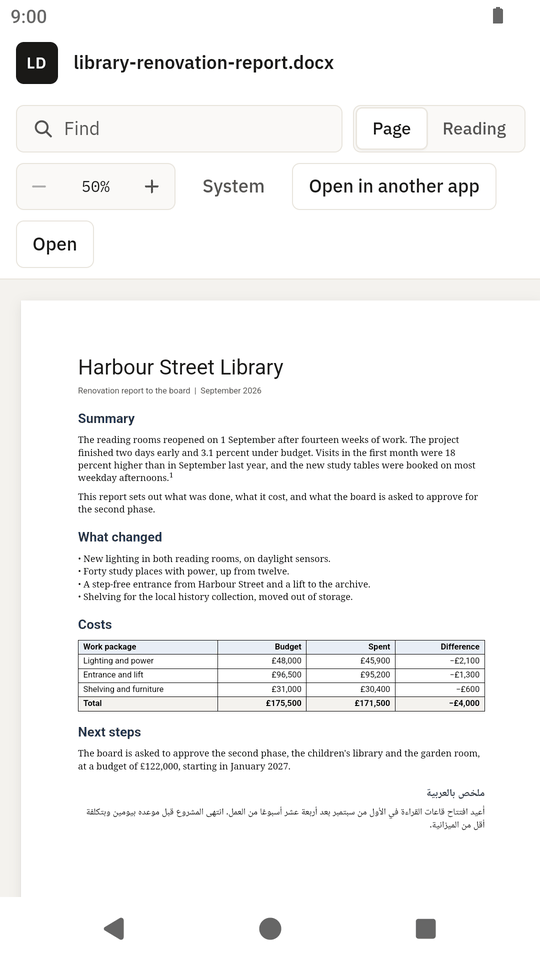
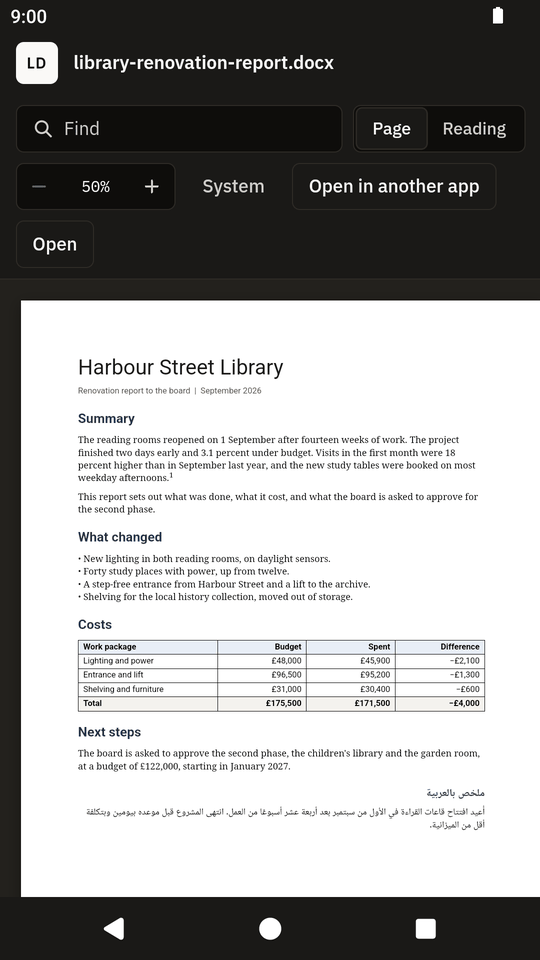
LeanDoc on a phone.
What it does
A viewer for Word documents, nothing more.
Open a file from your file manager, from a mail attachment or from your browser's downloads with Open with, share a file to LeanDoc, or use the Open button inside the app.
Features
- A page view, or a reading view that fits the text to the screen
- Find in the document, and an outline of the headings that marks the section you are reading
- Zoom, and copy the document as plain text
- A note on anything in the file that cannot be shown exactly
- Five themes: System, Light, Dark, Dim and Dusk, and the page white like paper or in the theme's colours
- Hands the file to another app when you want to edit it
Limits
- Files up to 64 MB.
- Old
.docfiles (Word 97 to 2003) and.rtffiles are not shown; LeanDoc offers to open them in another app. - Pictures and templates linked from the internet are left out, by design.
- The layout is close to Word's but not identical; LeanDoc says when a document uses something it cannot show.
Privacy
No internet permission. No data collected.
LeanDoc has no internet permission, so it cannot send or receive anything over the network. It asks for no permissions at all, and it has no analytics, no ads and no accounts. It reads the file you open and never changes it. It never runs macros and does not load images or templates from the internet that a document points to.
Read the privacy policy for the Lean Apps on Android. This page sets no cookies and loads no scripts.
Feedback
Tell me what does not work.
The app collects nothing, so reports have to come from you. Open an issue on GitHub with your Android version and phone model, or send private feedback from the tester page on Google Play. Never attach a private file: make a small file that shows the problem.
Things to try during the 14 days
- Open a
.docxfrom the Files app, from a mail attachment and from your browser's downloads, and use the Open button in the app. - Open a long document (50 pages or more) and scroll through it.
- Switch between the page view and the reading view, use Find, switch between light and dark, and rotate the phone.
- Open a
.docmfile and check that the app says it has macros and does not run them.
Each Android release on GitHub also has the APK attached, for phones without Google Play.
Also from Lean Apps
LeanDoc for Windows, Linux and macOS.
The desktop app is the same viewer for your computer, with the same reader page. Visit the LeanDoc desktop site. The Lean Apps page lists all three apps.
-
LeanDoc for Windows, Linux and macOS
The desktop Word document viewer.
-
LeanMark for Android
A Markdown viewer, also in a closed test.
-
LeanRows for Android
A CSV and log file viewer, also in a closed test.